
UK’s next emergency alert test: When it’s happening, how to opt out?
The national emergency alert system is conducting tests for second time in preparation of a real emergency
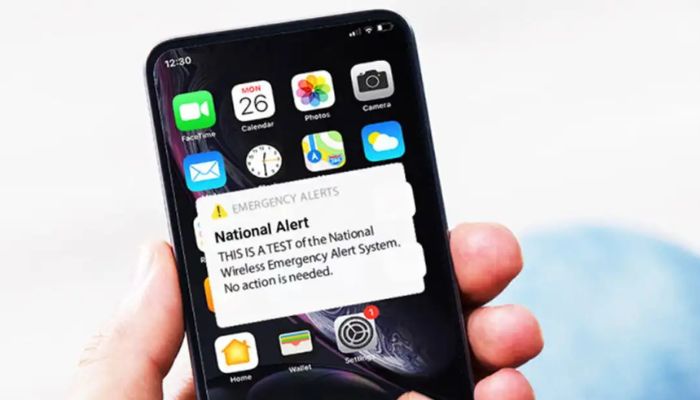
The UK will be conducting a national emergency system alert to mobile phones for the second time on Sunday, September 7, 2025.
The test is particularly designed to ensure the system is ready to deliver warnings in life threatening conditions, such as during extreme weather events or a terror attack.
Previously, various technical issues were revealed in April 2023 that some people were getting alert more than once while others were not receiving it at all.
UK government announces time for emergency alert tests
The government has announced the next nationwide emergency test around 15:00 BST on Sunday, September 7.
During the test, compatible phones in the UK will receive a loud siren-like sound for roughly 10 seconds and even if the phone is silent.
The alert ensures that it is a test, and no further action is required.
What will the emergency alert say?
The text of the message will read: “This is a test of Emergency Alerts, a UK government service that will warn you if there’s a life-threatening emergency nearby.”
“You do not need to take any action. In a real emergency, follow the instructions in the alert to keep yourself and others safe.”
Which devices will receive the alerts?
The alert will be sent to all smartphones on the UK’s 4G and 5G network even if they are not connected to the internet.
It has been observed that there are about 87% million phones in the UK, and 95% of the population has 4G or 5G access.
However, older phones connected to 2G or 3G networks will not receive the message.
Phones in airplane mode will not receive any alert.
The government wants users to enable devices to receive alerts, but it is possible to pull out.
This can be done by searching in your phone’s settings for “emergency alerts” and switching off "extreme alerts.”
In order to cope with emergency situations, the alert system will play a significant role in preparing for all kinds of future emergencies.






-
 Brooklyn Beckham charging nearly £300 in ticket cost for burger festival
 -
 Zayn Malik shares important update about his love life
 -
 James Van Der Beek's celebrity pals pen touching tribute after his death
 -
 James Van Der Beek, 'Dawson's Creek' star, dies at 48
 -
 Cruz Beckham hints at reunion with estranged brother Brooklyn amid rift?
 -
 Internet reacts to 10-day flight ban in El Paso
 -
 Police detained 'innocent' man in Nancy Guthrie's kidnapping
 -
 Co-founders of Elon Musk's xAI resigned: Here's Why