
News
iOS 13: How to install the new software on your iPhones
Ahead of the iPhone 11 release on Friday, Apple will be unveiling the new iOS 13 update later tonight that has all iPhone users ecstatic
By Web Desk
September 19, 2019
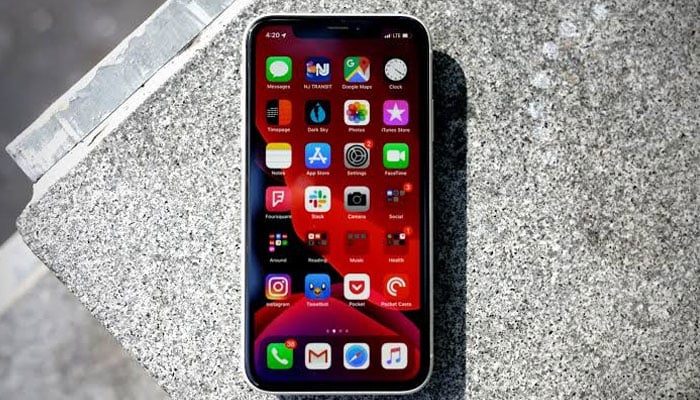
Ahead of the iPhone 11 release on Friday, Apple will be unveiling the new iOS 13 update later tonight that has all iPhone users ecstatic.
The iOS 13 update coming for iPhone and iPod Touch owners has in store numerous features that tech geeks had been anxiously counting down days to install on their Apple devices.
Advertisement
To install the new upgrade, here is what you need to do:
- Go on settings
- Tap on General
- Go to Software Update
- Download and Install
However, before doing so, it is pertinent to keep in mind that the new software will be available only on the following devices:
- iPhone XS
- iPhone XS Max
- iPhone XR
- iPhone X
- iPhone 8 Plus
- iPhone 8
- iPhone 7 Plus
- iPhone 7
- iPhone SE
- iPhone 6s Plus
- iPhone 6s


Advertisement




-
 Meteor over Ohio causes powerful sonic boom heard as far as Pennsylvania
 -
 Australian scientists develop world’s first quantum battery in major energy storage breakthrough
 -
 NASA scientists capture brain-shaped Nebula around dying star in shocking discovery
 -
 Are humans living in simulation? Scientist reveals shocking evidence
 -
 Scientists discover strange ‘molten slush’ alien planet unlike any known world
 -
 Life on Mars: Scientists discover hidden water beneath planet that may have supported life
 -
 Could humans survive on Mars? Nasa has clues
 -
 Arizona’s Meteor Crater continues to reveal new discoveries 50,000 years later: Here’s why