
Claude privacy guide: How to keep your chats and Google files safe
In recent incident, Claude AI users’ private chats exposed in Google search history, sparking privacy concerns
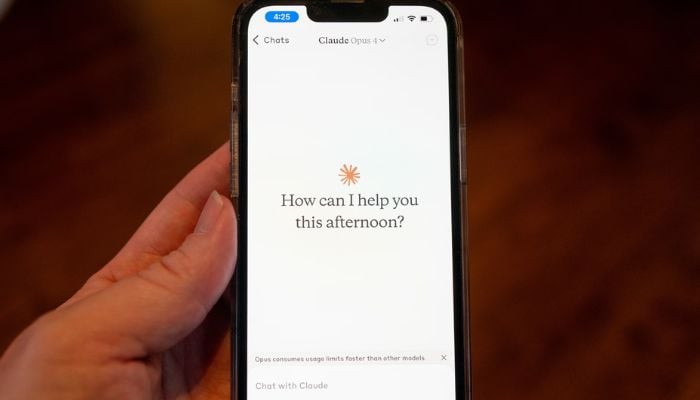
Over the weekend, thousands of users found that their privacy had been breached as the public share links created for Anthropic’s Claude chats were showing up in Google and Bing search results, allowing anyone to find sensitive or personal conversations.
Anthropic allows Claude users to create public links to their chat threads similar to sharing a Google Doc. But this feature came with an unexpected privacy risk, meaning those sensitive and personal conversations could be indexed and exposed in public search engine results.
Even if those links are posted online or shared on social media, it can be indexed through search engine web crawlers as many of those pages lack the “no index HTML” tag that would have prevented search engines from showing them.
To address the issue, Anthropic’s spokesperson Amie Rotherham issued a statement, “These shareable links are not guessable or discoverable unless people choose to share them themselves. When someone shares a conversation, they are making that content publicly accessible.”
Hence to avoid such unfortunate incidents, digital privacy experts recommend using “extreme caution” with shareable links. Instead they suggest choosing other alternatives like copying or pasting text or pasting screenshots instead.
According to Jacob Hoffman-Andrews, a senior staff technologist at digital privacy advocacy group the Electronic Frontier Foundation,
“The privacy afforded by ‘anyone with a link’-style sharing of chats and documents is fragile. If you share something with a friend, and they share it with a friend, and they post it to social media, suddenly it’s findable and readable by anyone on the web.”
How to fix it?
For Claude:
- Open Claude and go to Settings
- Choose privacy and click shared chats in your Claude account
- Review your chats with active public links
- Manage public chats to delete public threads
For Google Drive: Open individual documents, click "Share," and change general access from "anyone with the link" to "restricted" or specific people.


-
 China’s ByteDance makes major AI safety push with global hiring drive
 -
 Can Wall Street keep rogue AI out of its systems?
 -
 Tim Cook announces major Apple Intelligence update for China
 -
 OpenAI sued by eight states over ChatGPT youth safety and mental health risks
 -
 1.3GW solar farm, 1GW data centre planned near King's Lynn
 -
 AI agent hacks are 'early warning shots': Google DeepMind co-founder
 -
 Russia cracks down on AI bears as real attacks spread fear: What to know
 -
 UK media watchdog warns X over illegal hate content despite moderation speed improvements
-
 OpenAI vs. Apple: Former employee accused of taking unreleased device files
 -
Google DeepMind, Google Cloud grant European researchers access to frontier AI models and $3M in compute
-
Apple and OpenAI head to court in trade secrets dispute: Key details to know
-
Will AI beat cancer? Palantir CTO shares researchers’ surprising bet