Instagram's screenshot bug creates panic among users: Here's how to avoid
Instagram is designed to send an alert only if someone screenshots a disappearing message. But what should you do when this alert appears in a normal DM?
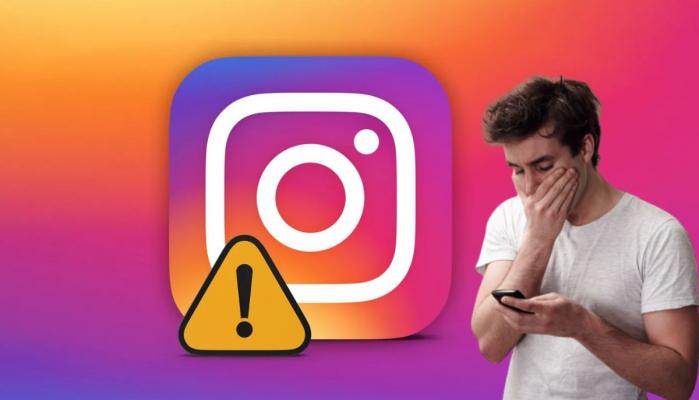
Instagram users were taken aback after DM screenshot alerts popped up, creating panic among users.
The photo sharing platform’s latest update of disappearing messages is causing panic among its users after users reportedly getting notifications for DM screenshots that should not trigger alerts.
Instagram is designed to send an alert only if someone screenshots a disappearing message. But what should you do when this alert appears in a normal DM?
Triggering panic mode!
Users have started sharing their anxiety online, anxious that private messages might be “exposed” to the other person even if vanish mode is turned off.
Tech people have pointed out that it is likely a bug, smartphones are mistakenly sending screenshot alerts where they should not.
Although the platform has not yet issued any official fix, that has left users in panic mode and double-checking their chats before hitting that screenshot button.
To make sure you are not flagged by Instagram, it’s critical to turn off disappearing messages.
The safe method:
- Open the chat
- If vanish mode is enabled, swipe up from the bottom of the screen, and you will find your messages return to normal.
- A small notification at the bottom of the chat will confirm when Vanish mode is disabled.
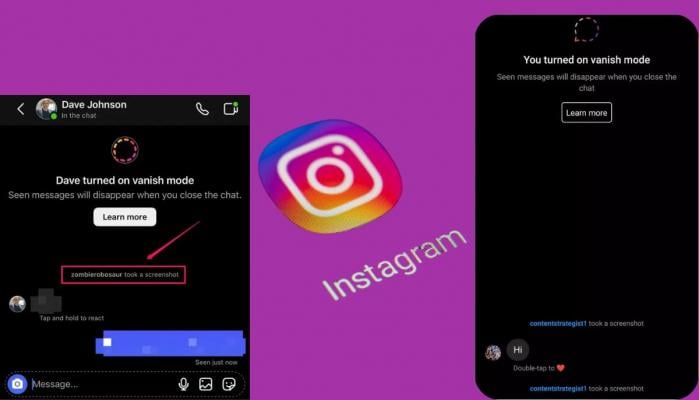
Instagram doesn’t notify people when you screenshot their normal messages. Just make sure disappearing mode is turned off.
The bottom line: disable vanish mode to disable screenshot alerts.






-
 How did Brandon Clarke die?
 -
 Taylor Swift wins BMI Songwriter crown for third year in a row
 -
 Katseye announces world tour, sending internet into meltdown
 -
 Pete Davidson urged not to target Charlie Kirk in comedy set: Insider
 -
 Chyler Leigh, Nathan West call it quits after 24 years of marriage
 -
 Watch Kanye West's reaction to Pete Davidson's savage roast jab
 -
 Eileen Wang: Who is Democratic Party's mayor of Arcadia ?
 -
 Savannah Guthrie finally shares 'something joyful'