Unlock faster performance on your slow Android phone with this hidden setting
The secret setting can instantly make a slow Android phone feel faster
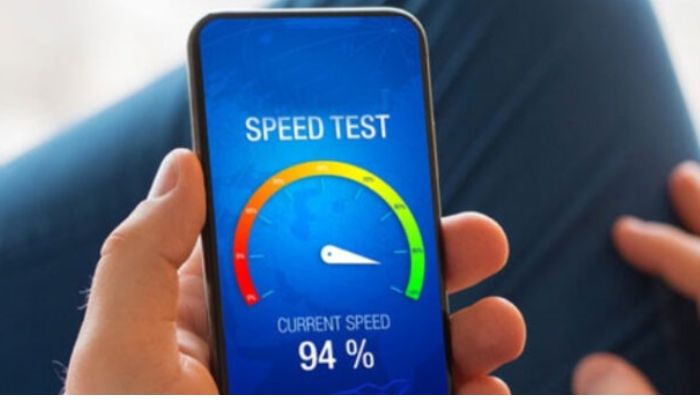
Users can feel frustrated by using a sluggish phone. This situation is common with many devices and there are few hidden settings that one can utilize to improve overall performance and device speed.
Pivotal steps to increase your Android device performance
The setting is hidden in the Developer Options on your Android device.
To implement this change, head to the Settings app on your phone and navigate to About phone> Software Information.
- Tap on the build number seven times
- Enter your password to enable developer options
- Go back to the Settings screen and tap Developer options
- Scroll down until you see Window animation scale, Transition animation scale and Animator duration scale
- You can change all three options to 0.5x, or, for the maximum perceived speed boost, you can choose Off
However, adjusting UI animation speeds offers a simple but effective performance boost, and it facilitates a sense of visual smoothness, particularly when multitasking across tabs and windows.
Animation Tweaks can optimize performance to a new level
The performance of Android phones can be increased specifically in older models by lowering the animation scale.
This adjustment helps mitigate the strain on the device’s processor and GPU, allowing system resources to be allocated towards improving overall application and UI receptiveness.
The age of phone and software optimization are crucial elements and, even minor animation tweaks can improve its speed.
Other measures can further optimize the overall performance of devices like the Galaxy or Pixel.
Meanwhile, clearing the application cache and restricting background data usage are reliable techniques that tend to work on various mobile brands.
Users can delete unnecessary applications, games, and videos that are occupying extra storage space.
Nonetheless, the dynamic combination of animation scales provides the most effective ways to improve the device’s perceived speed without resetting the phone.


-
 Comment: I’m panicking that I’m obsessed with 'Harry Potter' AI videos
 -
 Kanye West hit with wild warnings by mystery man as video explodes on April Fool's Day
 -
 Artemis II mission poised for a historic moment with Victor Glover
 -
 Zayn Malik reveals why he collaborated with Blackpink's Jisoo for 'eyes closed'
 -
 Megan Thee Stallion's latest hospitalization echoes 2020 shooting trauma
 -
 Why did Luke Combs think his career was over when he met Blake Shelton?
 -
 Amanda Batula's dating history: 'Summer House' star new romance confirmed after past relationship ends in chaos
 -
 Lamar Odom makes darkest confession about Khloé Kardashian marriage
-
 Kid Rock's controversy resurfaces after viral helicopter video triggers probe
 -
Kane Brown, wife Katelyn spills their 'Beauty and the Beast' duet struggle
-
Khloe Kardashian recalls 'overwhelming guilt' over Lamar Odom heart attacks: 'I hid it'
-
Selena Gomez shares personal struggles with bipolar disorder
-
Kanye West drops exciting news for UK fans after 11 years
-
Tom Felton taps into his inner Brit to deliver playful dig at 'Harry Potter' costar Daniel Redcliff
-
Laura Dern to lead drama series on Jeffrey Epstein scandal: Everything we know so far
-
Questions raised about Kash Patel's girlfriend after 'dance video' goes viral
-
Karoline Leavitt's son starts practicing for baby sister's arrival
-
Ariana Grande sweet image under threat? Critics issue blunt 'brat' warning